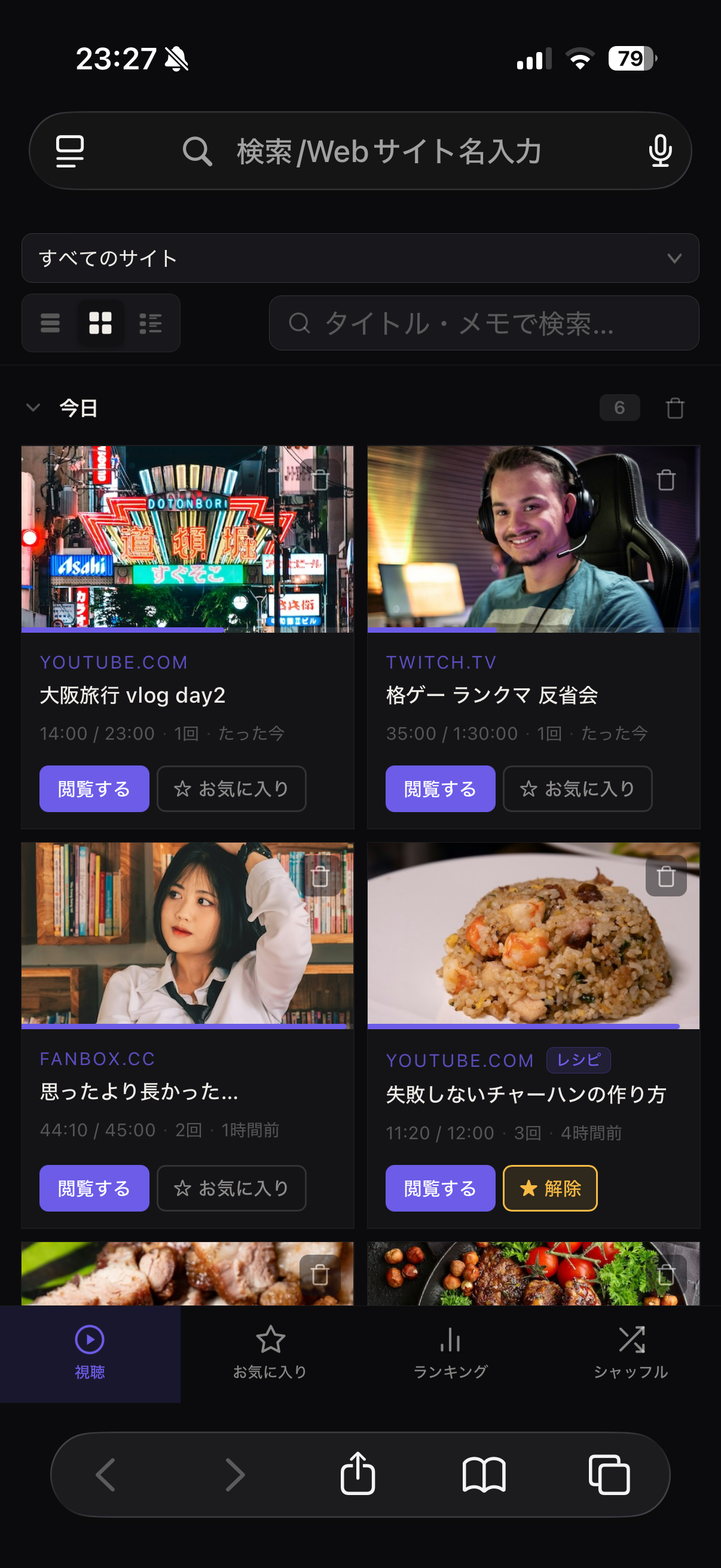
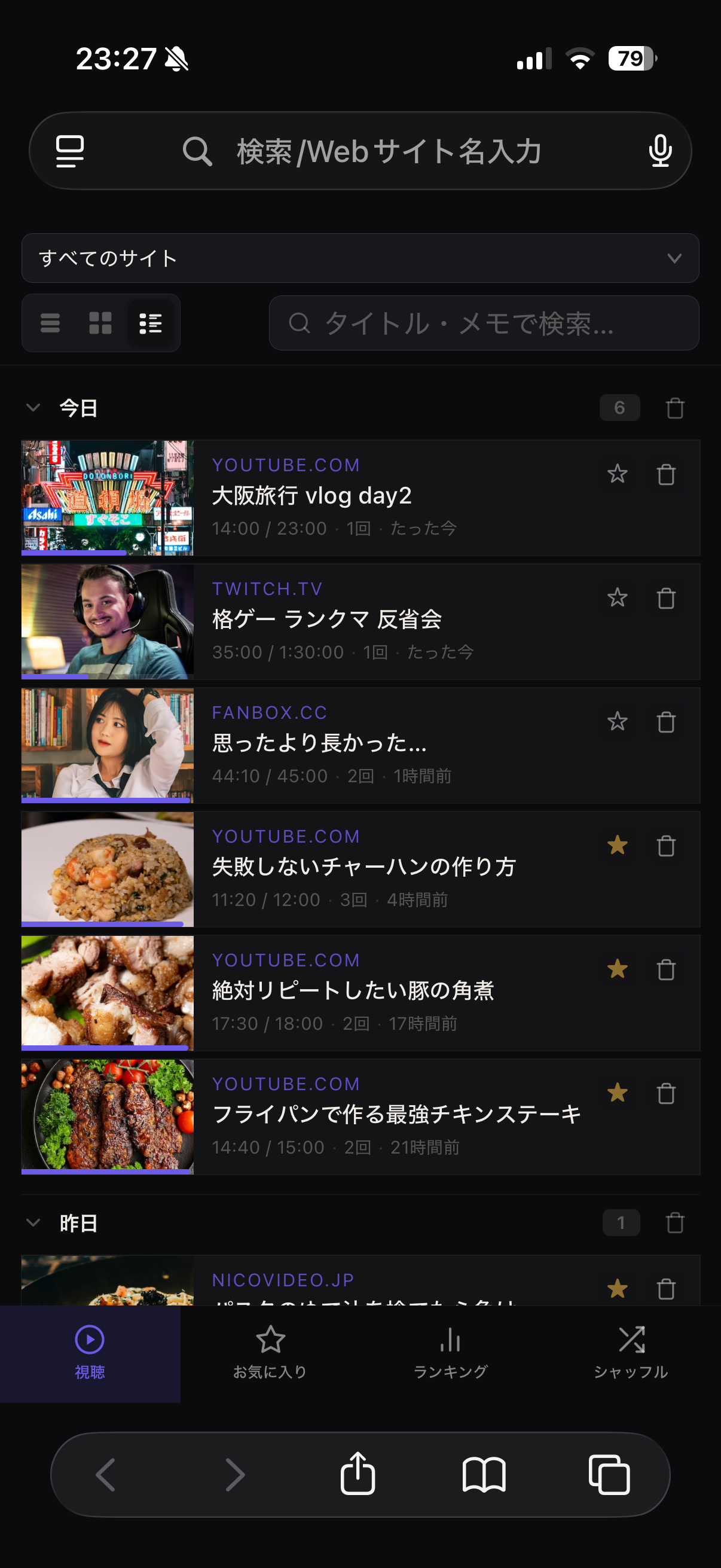
Safari拡張機能 + iOS アプリ Safari Extension + iOS App
再生するだけで自動記録。ボタン操作不要、サーバー送信ゼロ。YouTube・Twitchをはじめ、あらゆる動画サイトに対応します。
Just play and it's recorded. No buttons, no servers. Works on YouTube, Twitch, and virtually every video site.
特徴Features
面倒な操作は一切不要。Watch Leapがバックグラウンドで視聴履歴を静かに管理します。
No bookmarking, no manual logging. Watch Leap handles everything silently in the background.
指定秒数以上再生すると自動記録。ザッピングは除外され、ボタン操作は一切不要。
Videos are recorded after the set duration. Zapping is filtered out automatically. Zero manual input.
すべてのデータは端末内にのみ保存。外部サーバーへの送信・クラウド同期は一切ありません。
All data is stored only on your device. Nothing is ever sent to external servers or synced to the cloud.
YouTube・Twitchをはじめ、iframeや動的SPAサイト、CDNプレーヤーにも自動対応。
YouTube, Twitch, embedded players, single-page apps — if it plays video, Watch Leap tracks it.
視聴中・完了・お気に入りで自動整理。タイトル・メモで検索、タグ付けも可能。
Auto-organized by status. Search by title or note, add tags and favorites at any time.
曜日・時間帯別の視聴パターン、サイト別集計、ランキングを一画面で確認。視聴習慣を可視化します。
View viewing patterns by day and hour, per-site totals, and rankings — all in one screen.
視聴回数・経過日数・お気に入りを考慮した重み付きシャッフル。UR / SSR など見た頻度でレアリティバッジも付与。
Weighted shuffle based on watch count, recency, and favorites. Videos earn rarity badges (UR / SSR) the more you love them.
プランPlans
基本的な視聴履歴管理は無料。Proプランで統計・シャッフル・無制限機能がすべて使えます。
Core watch history is always free. Upgrade to Pro for stats, shuffle, and unlimited everything.
無料
Free
Pro
アップグレードはアプリ内から
Upgrade from within the app
使い方How to Use
「設定」アプリ → Safari → 拡張機能 → Watch Leap をオンにします。
Settings → Safari → Extensions → toggle on Watch Leap.
動画サイトを開き、ツールバーの Watch Leap アイコンをタップ。ポップアップに表示される「〇〇.com を記録する」ボタンをタップすると許可ダイアログが表示されます。「このWebサイトで常に許可」を選択してください。
Open a video site and tap the Watch Leap icon in the toolbar. In the popup, tap "Record on 〇〇.com". When the permission dialog appears, choose "Always Allow on This Website".
複数サイトをまとめて登録したい場合は: 設定 → Safari → 拡張機能 → Watch Leap → 一番下で「すべてのWebサイトを許可」 To allow all sites at once: Settings → Safari → Extensions → Watch Leap → "Allow on All Websites" at the bottom.あとは動画を再生するだけ。視聴履歴は自動でライブラリに追加されます。
That's it. Play any video and it appears in your library automatically.
FAQ
すべてのデータはお使いの端末内(Safariのローカルストレージ)にのみ保存されます。外部サーバーへの送信、クラウド同期、トラッキングは一切行いません。
All data is stored locally on your device in Safari's local storage. Nothing is sent to external servers, synced to the cloud, or used for tracking of any kind.
YouTube・Twitchをはじめ、HTML5の <video> 要素を使用するあらゆるサイトに対応しています。iframe埋め込みやSPA(シングルページアプリ)にも自動で対応します。
YouTube, Twitch, and any site using HTML5 <video> elements. This includes embedded players and single-page apps with automatic navigation detection.
ツールバーのWatch Leapアイコンをタップし、そのサイトの許可状態を確認してください。「〇〇.com を記録する」ボタンが表示されている場合は、まだ許可されていません。ボタンをタップして「常に許可」を選択してください。詳しいトラブルシューティングはサポートページをご覧ください。
Tap the Watch Leap toolbar icon and check the site's permission status. If you see a "Record on 〇〇.com" button, that site hasn't been allowed yet — tap it and choose "Always Allow". For detailed troubleshooting, visit the support page.
ライブラリから個別に削除するか、設定 → データ管理 → 「すべて削除」から全件削除できます。iOSアプリの設定画面からも同様の操作が可能です。
Delete individual videos from the library, or go to Settings → Data Management → "Clear all data". You can also manage your data from the iOS app's settings screen.
無料プランでは直近1週間分の視聴履歴が表示されます。お気に入りは通常ブラウズ・プライベートブラウズそれぞれ10件まで登録できます。シャッフル・統計・エクスポートなどその他の機能はすべて無料で利用可能です。Proにアップグレードすると全期間の履歴表示とお気に入り無制限が解放されます。
The free plan shows the last 1 week of history. You can save up to 10 favorites per browsing mode (regular and private). Shuffle, statistics, export, and all other features are fully available for free. Upgrading to Pro unlocks full history and unlimited favorites.
Proプランで変わるのは2点です。①視聴履歴の表示期間が全期間に解放されます(無料は直近1週間)。②お気に入り登録数が無制限になります(無料は各ブラウズモード10件)。シャッフルや統計などその他の機能は無料から変わりません。アップグレードはアプリ内のApple決済から行えます(¥480・買い切り)。
Pro unlocks two things: ① Full viewing history — no 1-week limit. ② Unlimited favorites — no 10-per-mode cap. Shuffle, stats, export, and everything else stay exactly the same. You can upgrade from within the app ($2.99, one-time).